A professional report connects every conclusion to a file, method, visual, and timestamp—and states what the analysis cannot certify.
Define the question before exporting
A useful report is not a collection of attractive graphs. It should answer a defined question: Is the file near a delivery reference? Where does clipping occur? Is a low-frequency line consistent with mains hum? Did a revised recording reduce the noise floor? The question determines which measurements and evidence belong in the document.
Record the file name, format, duration, channel count, and sample rate so the result cannot be separated from its source. If the file has been transcoded, normalized, or edited since analysis, treat it as a new source and generate a new report.
- Identify the exact analysed file and its technical properties.
- State the assessment profile or delivery reference.
- Separate measured values from automated interpretations.
- Keep the method and limitations beside the conclusion.
Include measurements that support the conclusion
For delivery-oriented checks, the core summary normally includes Integrated LUFS, Loudness Range, True Peak, sample peak, and a concise target comparison. Noise floor, crest factor, and mains-hum screening add troubleshooting context. A number should appear only when its method and unit are clear.
A loudness history reveals where the programme departs from its overall average. A full-file spectrogram shows how frequency content changes over time and is usually more useful in a report than one instantaneous spectrum frame. The instantaneous spectrum is best reserved for a documented moment when a specific peak or harmonic family needs close inspection.
Make every problem traceable
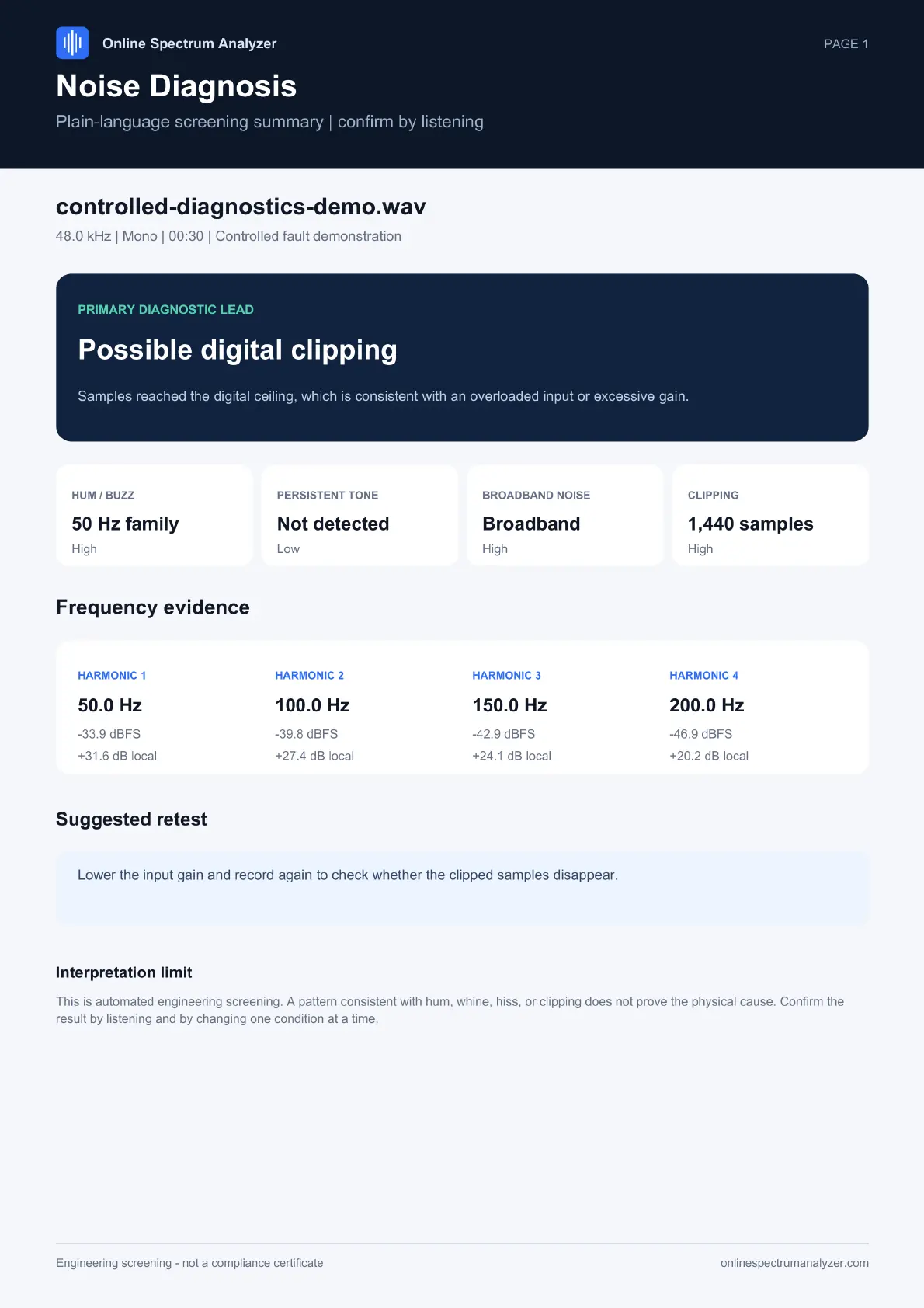
A statement such as 'the recording contains hum' is difficult to review without location evidence. A timestamped list lets another person jump to the same event, listen, and compare the corresponding spectrogram region. Findings should describe the observed condition—such as a fundamental and harmonics rising above nearby frequencies—rather than claiming a cause that the file alone cannot prove.
Limit the report to representative or actionable findings when a file contains hundreds of similar events. Keep the complete timeline available in the analysis workspace or supplementary data, while the report highlights the moments needed to support its conclusion.
Export, review, and preserve the audit trail
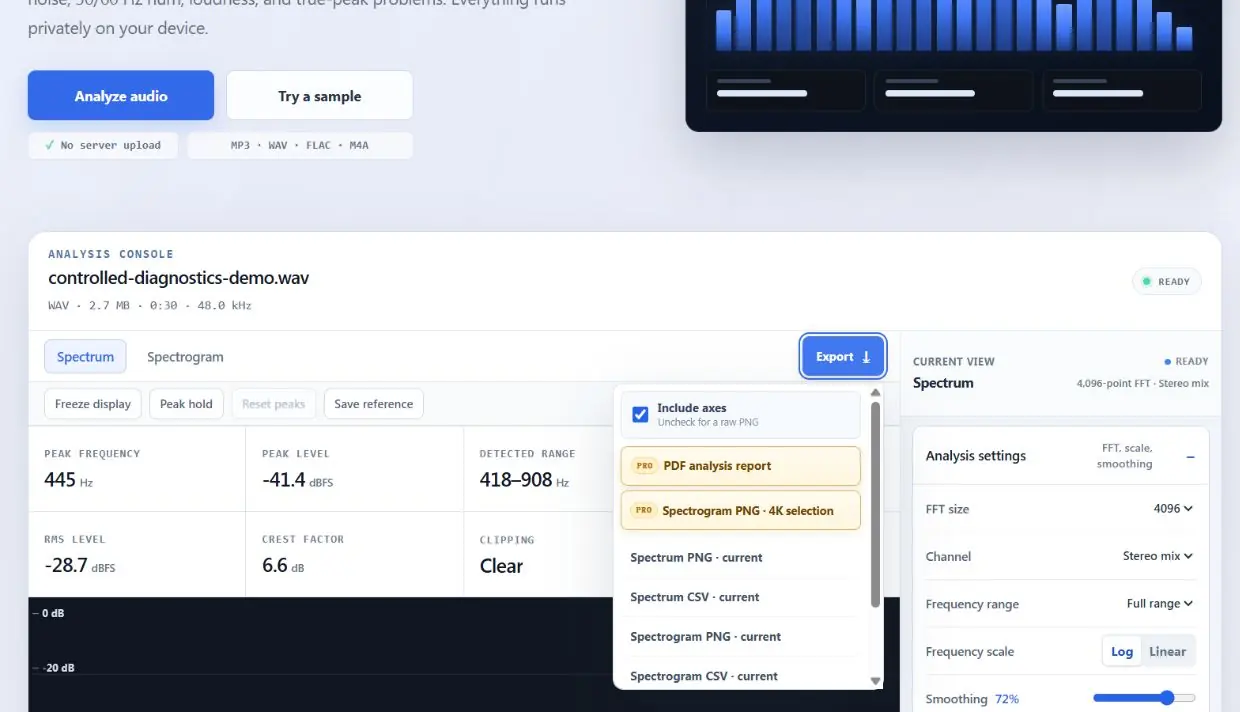
Before exporting, confirm that the selected profile matches the intended destination and that the analysis completed for the full file. Review the loudness graph, spectrogram, and each reported issue. Then generate the PDF and open it independently to verify page layout, image clarity, units, timestamps, and method notes.
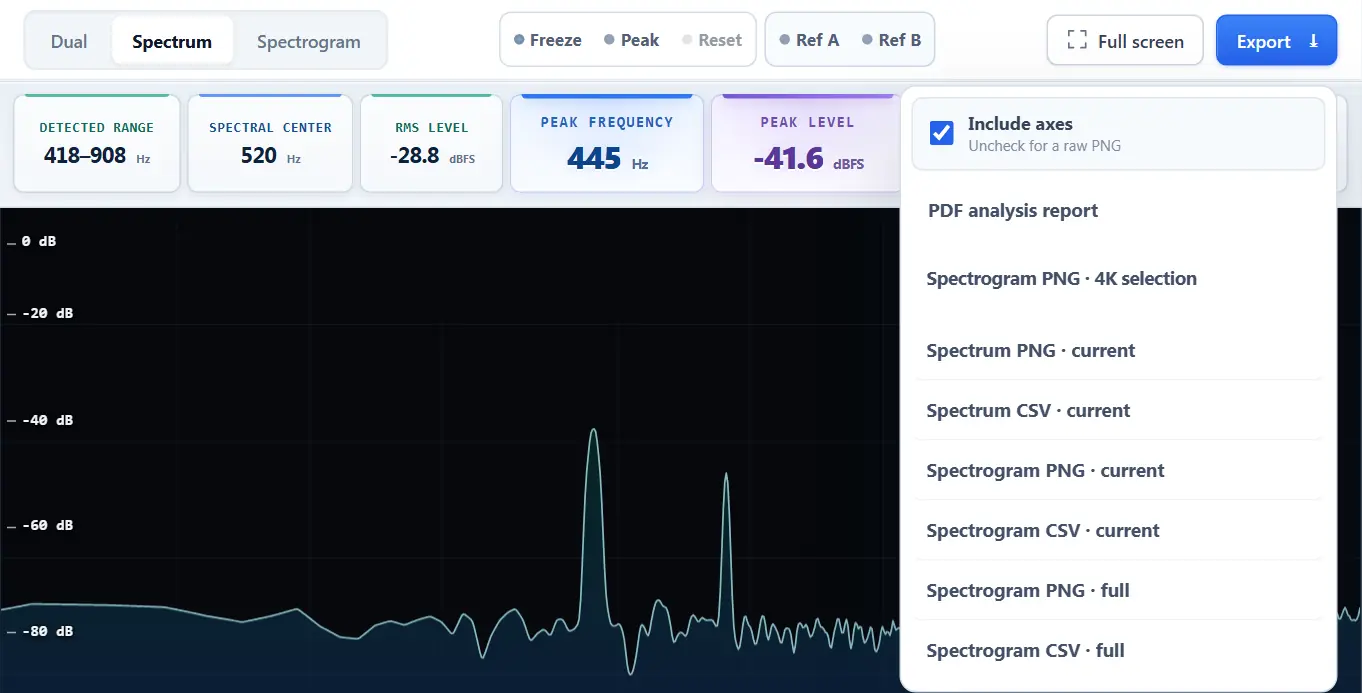
Use a 4K spectrogram selection when a narrow time range needs more visual detail than the report page can provide. Include axes for evidence that must stand alone; export a raw image only when another layout or plotting tool will add its own scale. Preserve the source file and report together so a later reviewer can reproduce the check.
- 01
Review the full-file evidence
Confirm that analysis finished, then inspect the loudness history and complete spectrogram before exporting.
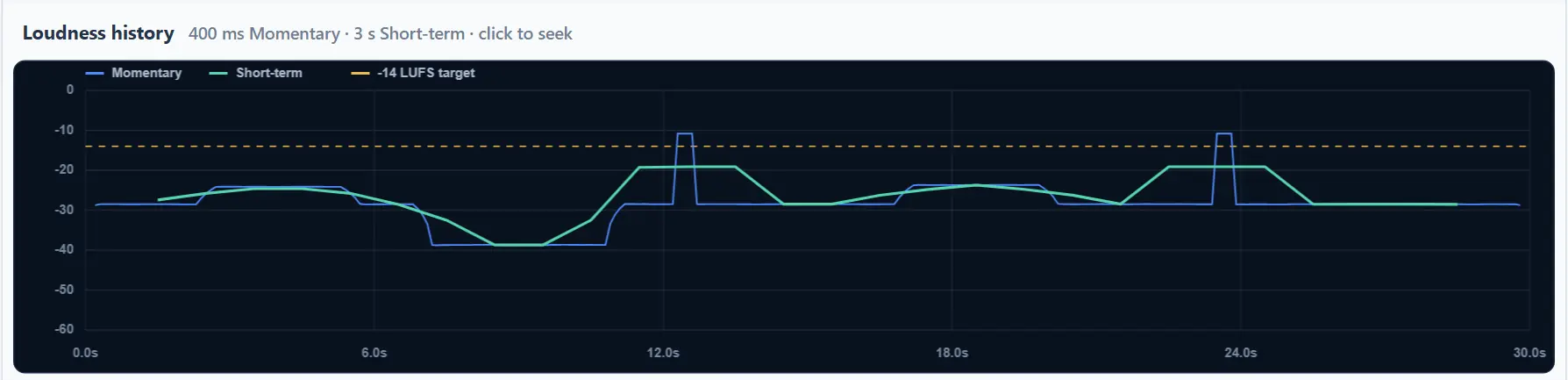
- 02
Open the export menu
Choose the PDF report for the narrative result, or a 4K selection when a narrow interval needs more detail.
- 03
Inspect the generated PDF
Open every page independently and check graph clarity, units, timestamps, file identity, and method notes.
- 04
Preserve the audit trail
Keep the original source, final report, and any supporting PNG or CSV exports together.
Common questions
Should a report contain a spectrum or a spectrogram?
Use a full-file spectrogram for overall time-frequency context. Add an instantaneous spectrum only when a specific documented moment or frequency relationship needs closer inspection.
What makes an audio analysis report professional?
Traceable file identity, stated methods and units, evidence tied to timestamps, readable visuals, a restrained conclusion, and explicit limitations.
Is a PDF report a compliance certificate?
No. Unless it comes from an approved, calibrated compliance system under the required procedure, it should be described as an engineering analysis report.
When should I use the 4K spectrogram export?
Use it for a selected interval that needs dense time-frequency detail, such as a transient, hum segment, encoded image, or short interference event.
See the frequencies for yourself.
Upload a file, use the microphone, freeze any moment, and export the result.
Analyze audio